

前言
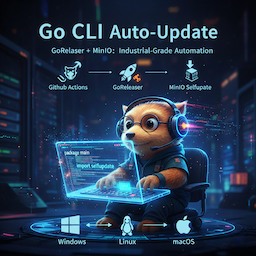
软件开发中自动更新是必不可少的一环,尤其是对于多平台软件。近期在尝试开源一款基于 Golang的跨平台容器监控程序,其中就涉及到多平台的自动更新实现。
方案设计
经过索引之后,绝大多数的项目都是基于 github.com/inconshreveable/go-update 的,虽然它是该领域的鼻祖,但其核心代码已 11 年未更新。于是找到了一个大名鼎鼎的对象存储 MinIO 团队Fork出来还在维护的项目,就它了!
github.com/minio/selfupdate
Package update provides functionality to implement secure, self-updating Go programs (or other single-file targets) A program can update itself by replacing its executable file with a new version.
It provides the flexibility to implement different updating user experiences like auto-updating, or manual user-initiated updates. It also boasts advanced features like binary patching and code signing verification.
特点:
- 跨平台支持(包括Windows)
- 二进制补丁应用(可于运行时中直接替换原可执行文件)
- 校验和验证
- 代码签名验证
- 支持更新任意文件
代码实现
仓库地址: https://github.com/zsuroy/dockerview-go
下载地址示例: https://github.com/zsuroy/dockerview-go/releases/latest/download/dockerview-darwin-arm64
- 先拉依赖
go get github.com/minio/selfupdate - 新建
update.go贴上下列代码,记得更新 仓库名 和 二进制文件名 - 函数调用
doUpdate搞定
package main

import (
    "fmt"
    "net/http"
    "runtime"

    "github.com/minio/selfupdate"
)

func doUpdate() error {
    repo := "zsuroy/dockerview-go" // 仓库名
    assetsName := fmt.Sprintf("dockerview-%s-%s", runtime.GOOS, runtime.GOARCH) // release 二进制文件名
    if runtime.GOOS == "windows" {
        assetsName += ".exe"
    }

    url := fmt.Sprintf("https://github.com/%s/releases/latest/download/%s", repo, assetsName)
    fmt.Printf("Donwloading from %s...\n", url)

    resp, err := http.Get(url)
    if err != nil {
        return fmt.Errorf("Download failed: %v", err)
    }
    defer resp.Body.Close()

    if resp.StatusCode != http.StatusOK {
        return fmt.Errorf("Server error: %s", resp.Status)
    }

    err = selfupdate.Apply(resp.Body, selfupdate.Options{})
    if err != nil {
        return fmt.Errorf("Apply update failed: %v", err)
    }

    fmt.Println("Update done! Please restart it.")
    return nil

}

技术细节剖析
很多新手好奇,为什么 Windows 下正在运行的 .exe 无法被删除,却能被“更新”?
minio/selfupdate 在 Windows 上的策略非常精妙:它不是直接覆盖当前文件,而是利用 os.Rename 将当前运行的 .exe 重命名为一个临时文件(Windows 允许重命名运行中的文件),然后将新下载的二进制文件放到原路径下。等下次启动时,程序再清理掉那个临时的旧文件。
尾言
本文实现的是一种“手动触发”的更新模式。在实际工程中,大家可以配合 Version 语义化检查,在程序启动时异步请求 GitHub API,对比本地与远端 Tag。
项目参考: zsuroy/dockerview-go

Comments | NOTHING